Zalgo Text Generator
How to Use the Zalgo Text Generator?
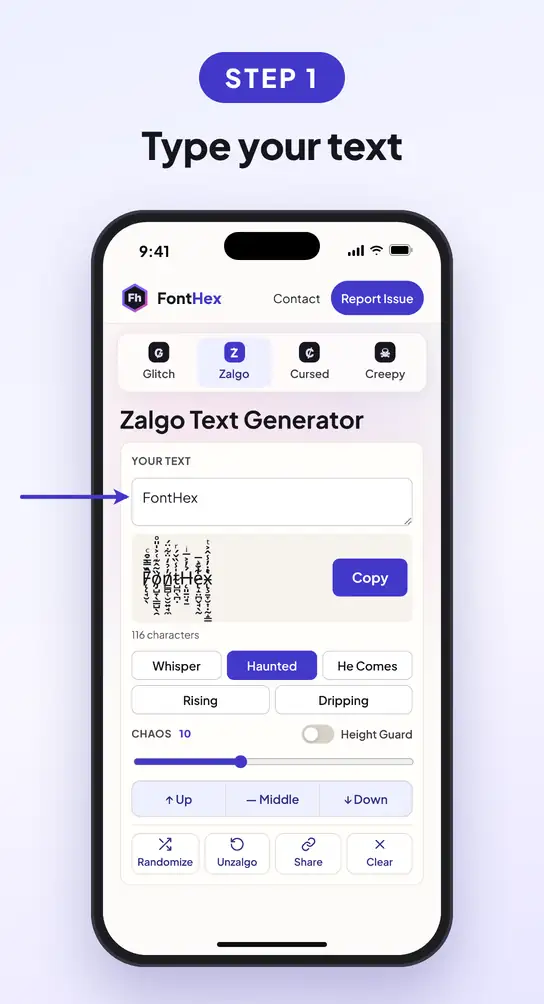
- 1Summon it
Type or paste your words. The zalgo version forms in the result box as you type.
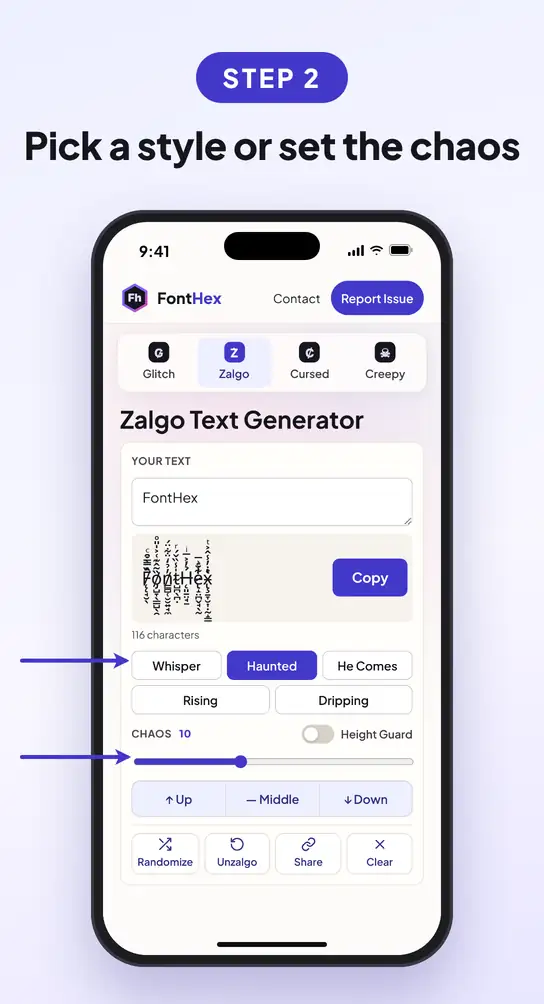
- 2Feed the chaos
Drag the slider from 1 to 25, or tap one of the 5 styles. Pick Up, Middle or Down to steer the marks.
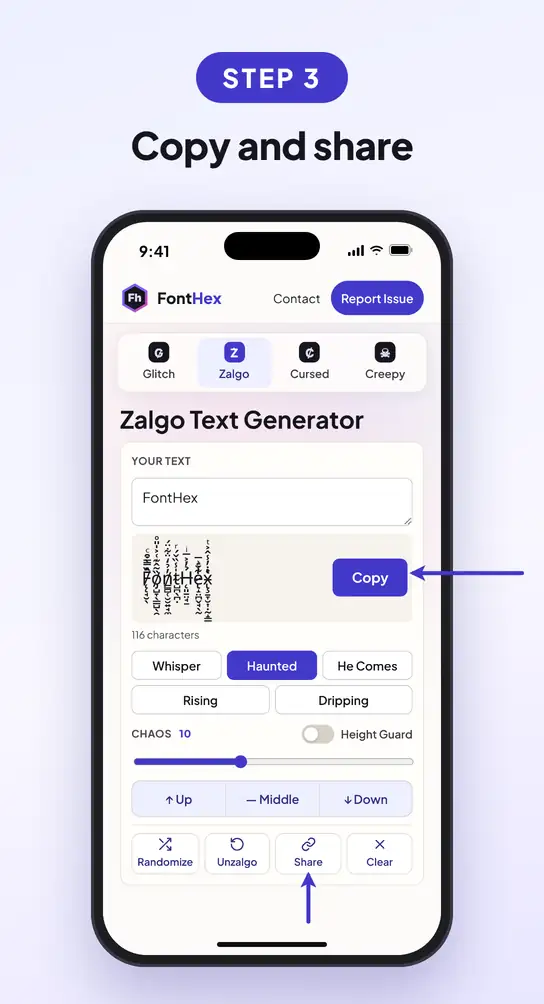
- 3Release it
Press Copy and paste it anywhere, or press Share to send a link that opens the exact same result.
How Many Styles Does This Zalgo Generator Offer?
Five, each one tap away, and the slider covers everything in between. Here is the same word in every style.
A faint crawl of marks. Still easy to read.
Clearly possessed, still legible at a glance.
Full chaos that climbs over the lines around it.
Marks climb upward only, like smoke.
Marks hang below the letters, like they are melting.
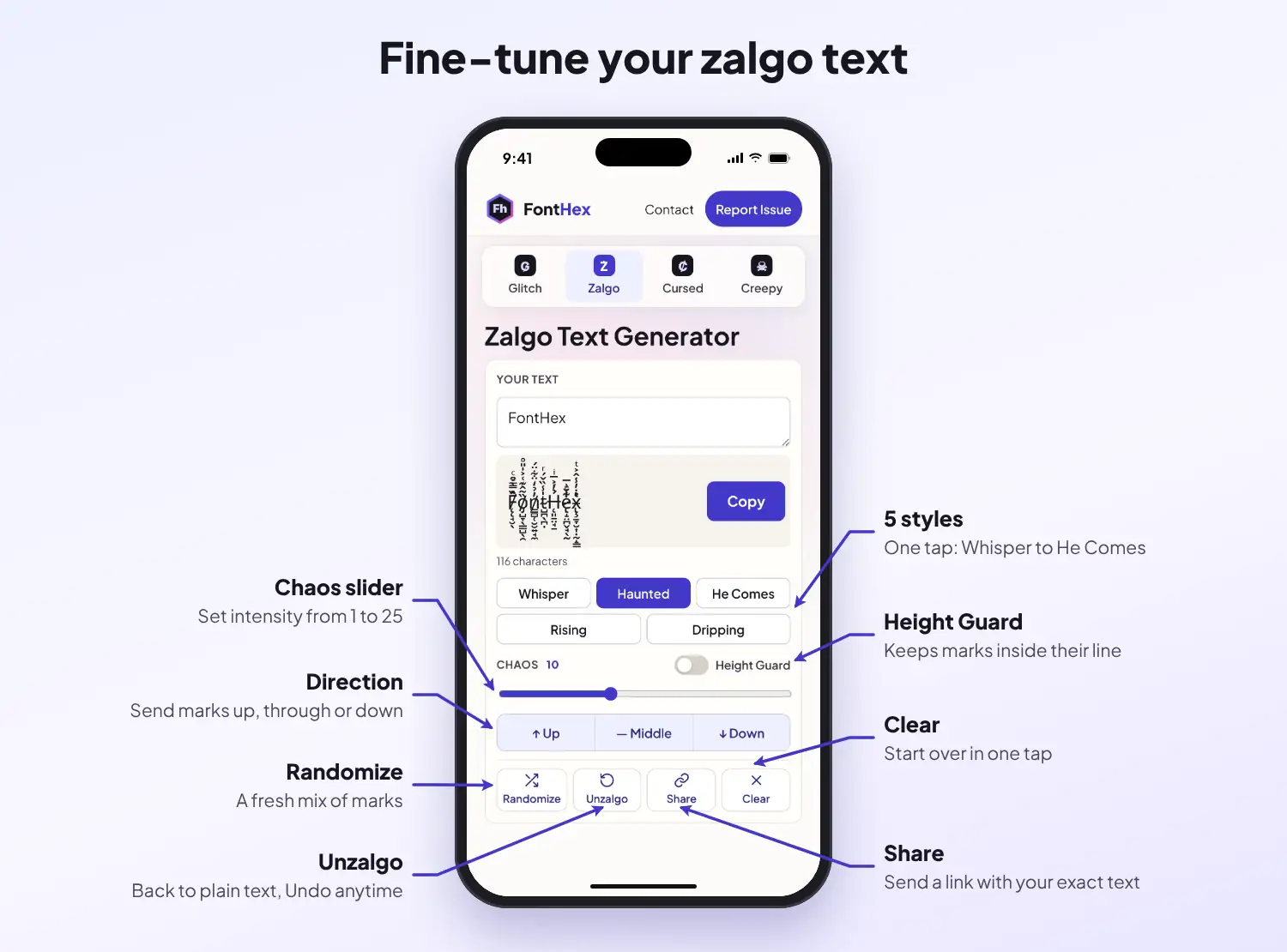
Want something in between? Drag the chaos slider anywhere from 1 to 25, mix Up, Middle and Down, and turn on Height Guard to keep the marks from spilling into nearby lines.
What Is Zalgo Text?
Zalgo text is regular text buried under stacks of Unicode combining marks, the small accents and symbols that normally sit on a single letter. Pile dozens of them onto every character and the words seem to melt, drip and climb out of their line.
The name comes from an internet horror meme that started around 2004 on the Something Awful forums, where edited comic strips slowly fell apart and ended with the line "He comes." Zalgo grew into a creepypasta character, and the corrupted writing style took his name. Today "zalgo" means any text that looks possessed.
Because every mark is a real character, zalgo text is not a zalgo font. It pastes into most apps as it is, and it also counts toward character limits much faster than plain text.
Need Zalgo Text to Copy and Paste Right Now?
No time to tune the slider? Grab one of these.
Is There a Zalgo Text Translator Back to English?
Got a message that looks like it was written by something in the walls? Paste it into the box at the top and press Unzalgo. The marks are stripped away and the plain words are left behind. Press Undo if you want the creepy version back.
Why Use the FontHex Zalgo Text Generator?
A 1 to 25 intensity slider, from a faint crawl to full chaos.
Keeps zalgo from spilling over other lines in chats and bios.
Whisper, Haunted, He Comes, Rising and Dripping, ready in one tap.
Turn any zalgo text back into plain English in the same box.
A link opens your text, settings and pattern exactly as you made it.
Runs in your browser on any device, with no sign-up and no pop-ups.
Where Does Zalgo Text Work?
- Discord: messages, nicknames and About Me. Some servers filter heavy marks.
- TikTok and Instagram: captions, comments and bios. Turn on Height Guard for bios.
- X and YouTube: posts and comments work, handles do not.
- Roblox: usually blocked by the chat filter.
Step-by-step instructions for each app are in the glitch text how-to guide.
How Do You Use Zalgo Without Breaking Things?
He Comes level zalgo can lag older phones and chat apps. Use Whisper for messages.
Many servers and comment sections ban heavy zalgo as spam. Keep it to one word when in doubt.
Screen readers read zalgo as noise. Leave names, links and dates in normal text.
What Other Text Styles Can You Try?
Got More Questions About Zalgo Text?
Is there a zalgo font I can install?
No. Zalgo text is not a font. It is ordinary text with Unicode combining marks stacked on each letter, so it copies and pastes into most apps without installing anything.
Does zalgo text work on Discord?
Yes, in messages, server nicknames, display names and About Me. Some servers use bots that strip or block heavy marks, so try Height Guard or a lower chaos level if yours gets removed.
Can I use zalgo text on Roblox?
Usually not. Roblox filters special characters in names and most chat, so heavy zalgo is often blocked or shown as hashtags.
Can zalgo text crash a phone or app?
Very heavy zalgo has caused lag and crashes in some older messaging apps. Keep the He Comes level for posts and memes, and use Whisper in chats.
How do I turn zalgo text back into normal text?
Paste it into the box above and press Unzalgo. The stacked marks are removed and the plain letters stay.
Is zalgo text safe to use?
Yes. It is plain Unicode with nothing hidden inside. The only risks are readability and app limits, not your device or account security.